Creating a new project allows you to organize your pages and design work efficiently. Follow the simple steps below to create one.
From your main dashboard, you have two ways to create a new project:
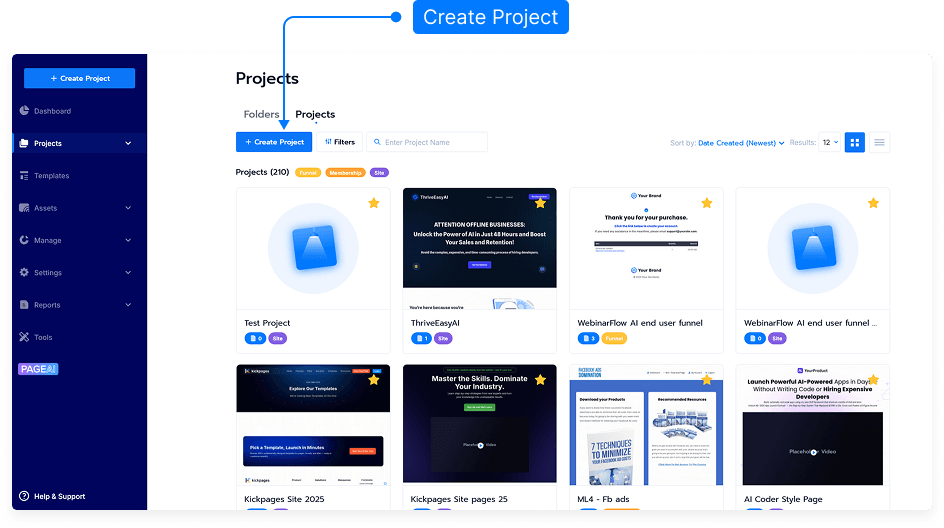
Click the Create Project button on the top right.
Or Click Projects menu and Click Create Project. Button
Select the option to create a new project.
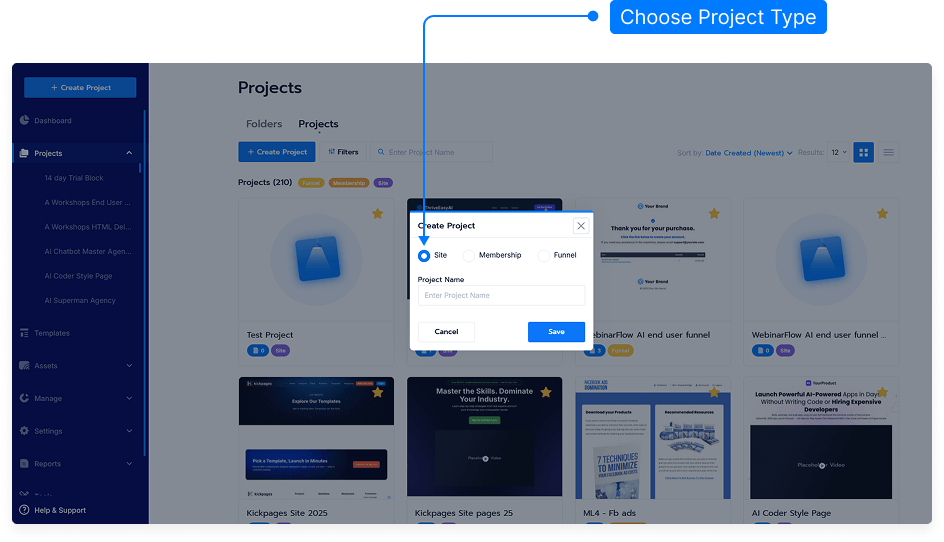
Enter a name for your project in the provided field.
Click Save to create your project.
Your new project is now created and ready to use. You can begin adding pages or design blocks to it.
That’s it! You’ve successfully created a new project, making it easier to organize and manage your work.